Explore Courses
Top University
Search anything
 Refer and Earn ₹ 5000
Narayani
Published on 02 March, 2026

Learning Routes Editorial Team
Reviewed and updated
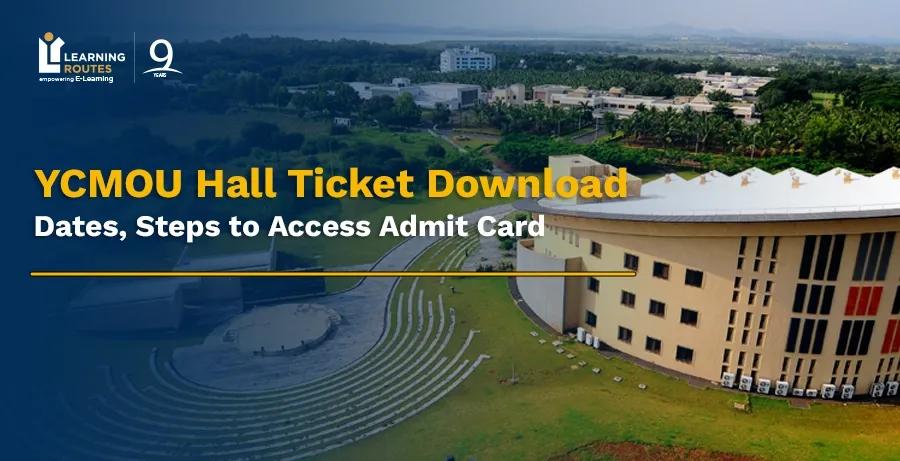
Yashwantrao Chavan Maharashtra Open University issues the YCMOU hall ticket for each session, tentatively one or two weeks before the exam. You can download the YCMOU admit card manually by visiting its official website, ycmou.ac.in. Alternatively, the YCMOU hall ticket download link is also made available at ycmou.digitaluniversity.ac. Login credentials required to download the admit card of YCMOU exam are PRN No. Or username.
Hall ticket is an important document that you must carry at the exam centre. It includes details such as name, roll number, course name & code and timings. You must check all details mentioned in the Yashwantrao Chavan Maharashtra Open University hall ticket and contact the authorities in case of any discrepancy. This blog covers various crucial details of the YCMOU admit card 2026. Continuing reading ahead, you would discover the process for YCMOU hall ticket download, latest updates and dates, guidelines, and other crucial details.
Yashwantrao Chavan Maharashtra Open University conducts the exams for its distance learning courses in online proctored mode. The hall tickets for YCMOU exams are subject to being announced before the exam commencement, every session. You may take a quick look at the crucial details of the YCMOU hall ticket:
You May Also Read:
Yashwantrao Chavan Maharashtra Open University conducts exams for its open and distance learning courses twice a year, generally. Sometimes, depending on semesters and courses, the exam schedules vary. YCMOU hall ticket for each exam session is made available online on its official website 1-2 weeks before exams. Here are the tentative YCMOU hall ticket 2026 dates:
Candidates can download the YCMOU hall ticket from the official website of the university (ycmou.ac.in.) in two ways. Either you can use your PRN (Permanent Registration Number) or username to download YCMOU hall ticket 2026. Check out the steps to download the YCMOU hall ticket in both ways:
The PRN number is the Permanent Registration Number. This is a unique ID that the university provides its learners at the time of enrollment, which remains the same throughout the course and later. Here is how you can use your PRN to download YCMOU hall ticket 2026:
📝 Visit the official website of YCMOU: ycmou.ac.in.
📝 Tap on “Menu” (three lines) in the top right corner of the YCMOU homepage.
📝 Navigate to the “Student Zone” section and click on it.
📝 From the drop-down list, you need to click on “Examination Information”.
📝 This would redirect you to a page containing a few sections, including “Hall Tickets”, and click on it.
📝 A new tab shall open, where you need to choose the current exam event or session and enter “PRN”.
📝 Next, you have to enter the “Captcha”, which is case sensitive and click on the “Search” button.
📝 Your hall ticket shall appear; download it to your device to take a printout.
Apart from PRN, candidates can use their username or registered name to download YCMOU hall tickets. Here is the step-by-step process to YCMOU hall ticket download by user name. Take a look:
📝 Visit the official website of the university: ycmou.ac.in.
📝 Click on “Examination Information” under the section “Student Zone” in the Menu.
📝 Tap on “Hall Tickets” and choose an exam event or session for which you need to download a hall ticket.
📝 Enter “User Name” and “Captcha” in the required boxes and click the “Search” button.
📝 A list of similar names would appear along with PRN, from where you need to click on yours.
📝 Your hall ticket would appear so that you can save it to your device.
The login page of YCMOU contains boxes to choose exam events and enter PRN and captcha. You can also choose to download your YCMOU hall ticket by using your name. Here is how the Yashwantrao Chavan Maharashtra Open University or YCMOU hall ticket window shall appear:
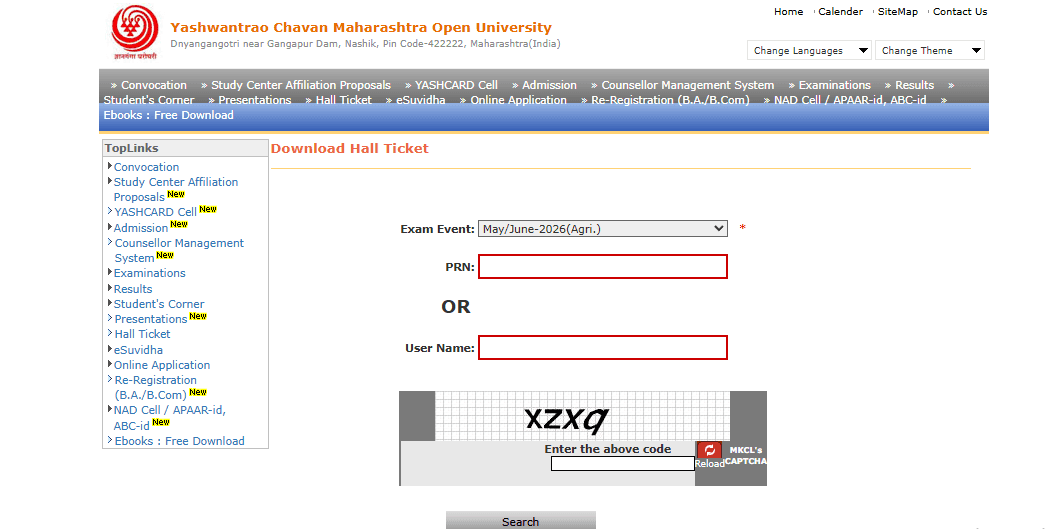
Source: ycmou.digitaluniversity.ac.
PRN stands for Permanent Registration Number. It is a unique identification number that universities generally provide to students at the time of enrollment. This number remains the same for the entire academic session. You can use it even at the later stages to access your information at YCMOU’s official portal. PRN at YCMOU would help you access your hall ticket and any other required information that you may access throughout the course.
The hall ticket is an essential document at YCMOU that you would need to log in for your exams. It is crucial to follow several guidelines while downloading the YCMOU hall ticket to avoid confusion. Check out the YCMOU hall ticket download guidelines:
✅ It is advised to download the hall ticket from the official website of YCMOU only. It would help you avoid cyber thefts, clicking on unauthorised links, and fraud.
✅ One must not forget to download the admit cards and take the printouts.
✅ Make sure to check and verify all the information available on the admit card/hall ticket.
✅ If you find any misleading or wrong information on the YCMOU hall ticket, you need to immediately contact the YCMOU examination department.
✅ Ensure checking out student numbers and photographs.
✅ Keep the printouts of the YCMOU admit card with you while logging in for the exams.
The YCMOU hall ticket is vital for every candidate taking the exams. It is crucial as it includes all the essential details such as student number, subjects, paper codes, and more. You would be required to log in for every exam before it begins. Furthermore, YCMOU hall tickets are generally uploaded 10-15 days before the commencement of exams. You can visit the YCMOU official website to download the hall tickets for your exam. You may use your PRN or username to download the YCMOU hall ticket. Verify all the information and connect with the examination department in case of any ambiguity.
Visit the official website of YCMOU —> click on Student Zone —> Examination Information —> Hall Tickets. Choose the latest exam event, enter your PRN or username, fill out the captcha, and click on “Search” to download your YCMOU hall ticket.
Yashwantrao Chavan Maharashtra Open University, or YCMOU, is a public government university established by the government of Maharashtra in 1989. It is headquartered in Nashik and recognised by the UGC-DEB.
You can check YCMOU hall ticket from the official website at ycmou.ac.in. by using your Permanent Registration Number (PRN) or username. All the available hall tickets can be found in the “Hall Tickets” section in the “Examination Information”.
The hall ticket number is available on the admit card that can be downloaded from the official website of the university. If your admit card is lost, you can check out your registered email or SMS to confirm. Typically, hall ticket numbers are mentioned on the notice board at the exam centres besides candidates' names. In case nothing works, you can connect with the university's examination department.
Yashwantrao Chavan Maharashtra Open University (YCMOU) degrees are highly valid and legitimate for higher education and jobs in government or private sectors, as these are approved by the University Grants Commission - Distance Education Bureau (UGC-DEB).
Our team of experts, or experienced individuals, will answer it over online meet. Book your slot now!
Book Free Online Counselling
Get Free Career Guidance